A free PC hardware monitor for CORSAIR
CORSAIR LINK is a free unified system software tool that can dynamically monitor your PC. Developed by high-end PC gaming provider CORSAIR, this program lets you keep an eye on your system and easily control important performance hardware such as the fans, coolers, power supply, and more. Take note that only selected components and models are compatible with this program. Additionally, this has already been surpassed by iCUE — CORSAIR LINK and CUE combined.
Top Recommended Alternative

Easy-to-find data
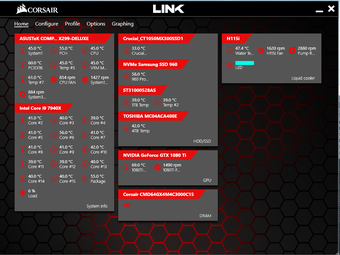
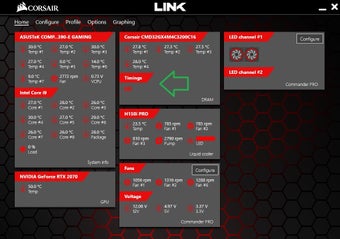
CORSAIR LINK is basically your hardware system dashboard that lets you check on your PC’s status and see better information than what the default Control Panel can show you. It will display an instant summary of your hardware components—complete with real-time graph reports and straightforward numbers. On the screen, you’ll find these data listed under the specific name of your hardware—like Intel Core i5 6600K. You can then expand the tabs to take a closer look.
Most of the compatible hardware connected will have their temperatures displayed thanks to the hardware’s sensors. For this, you can configure your system to automatically adjust and start cooling down your PC. You can do this by opening the Configure tab and dragging the components’ icons to their place on the provided screen. You can also choose from a variety of pre-programmed modes or configure your own for fan speed and such.
The old vs. the new
iCUE is another free unified software tool from CORSAIR. However, it’s considered the upgraded version of the CUE software that’s been combined with CORSAIR LINK. The two were designed for different functions altogether. CUE was the RGB lighting tool between the two while LINK handled hardware monitoring. It can also do some RGB LED customization, but it’s more for displaying your PC’s current status. Using compatible accessories, you can set them to any number of colors to change lighting depending on specific temperature readouts.
As separate and standalone applications, this setup suited CORSAIR users who didn’t want cluttered interfaces or programs with a lot of extra functions they don’t really use. However, this can be a hassle to users who want both core features easily accessible. This is where iCUE comes in. It basically replaces the two by combining them in a single interface and improving all functions to deliver a sleeker and more optimized program for CORSAIR products.
Not only that, but it really upgrades the RGB lighting control of the two older software. iCUE is much more recommended to use for video gaming, as it can customize lighting patterns and effects for a unique look on your PC. It has game integrations that allow the lights to react alongside in-game events for a more immersive experience. Plus, you get complex key and button remapping, as well as multi-command macros for any tedious in-game grinding, which can be saved as settings into different profiles.
A bit of a downgrade
All in all, CORSAIR LINK contains most of what a CORSAIR user will be looking for to control their PC’s performance through their hardware. Unfortunately, while its user interface is intuitive enough, it’s severely limited when it comes to compatible hardware. It wouldn’t be a great tool to use if you’re using just one or two of the selected parts. iCUE is now CORSAIR’s main unified system tool and is the recommended utility to use.